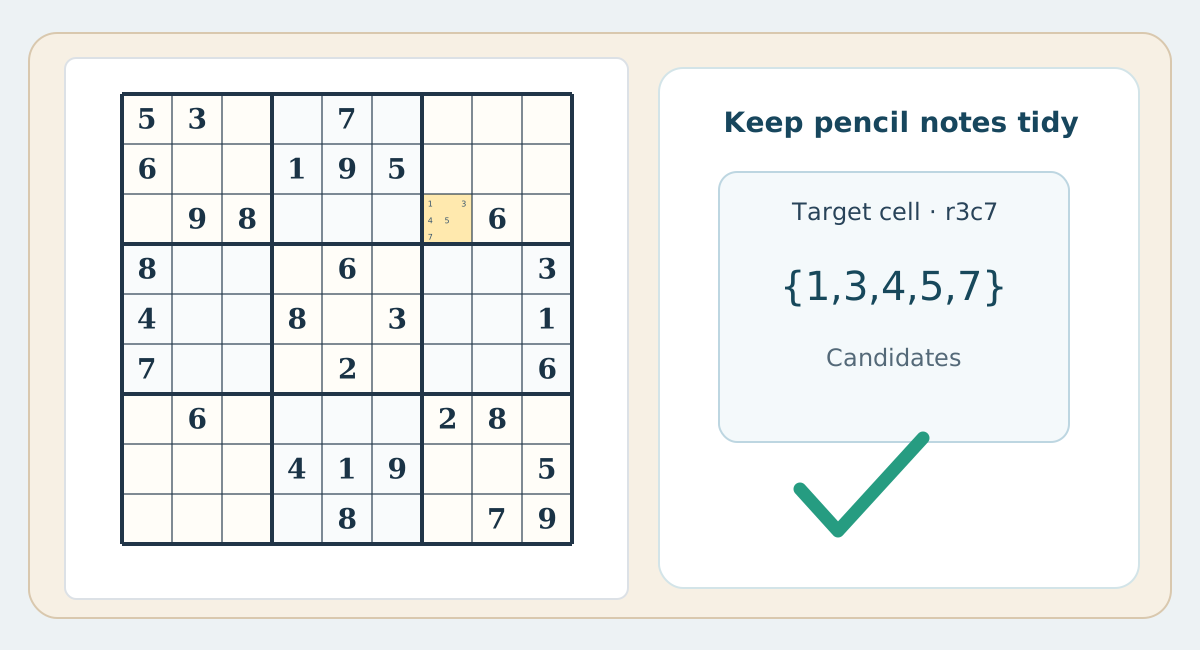
Candidates inside the cell
The full-position method assigns places for 1–9 inside each cell: 1–3 near the top, 4–6 in the middle and 7–9 at the bottom. It works well on a spacious printout but needs room. Use a full-size digit only after eliminating every alternative.
Short corner notes
You can write a short set such as {2,7} in one corner. This is convenient for beginner puzzles or cells with two or three possibilities. It becomes crowded when a cell accepts six or more digits. Keep digit order consistent across the worksheet.
Digit-by-digit scanning
Not every puzzle needs a full list in every blank square. Choose a missing digit, such as 5, and scan its possible positions box by box. Mark only the locations you may need to revisit. This reduces note maintenance when many placements are found without long candidate lists.
Choosing the right notation
With a small grid, use digit scanning or compact notes. For a large or difficult worksheet, use bigger cells and the nine-position method. The test of a useful notation is whether you can explain every elimination rather than merely erase a symbol.