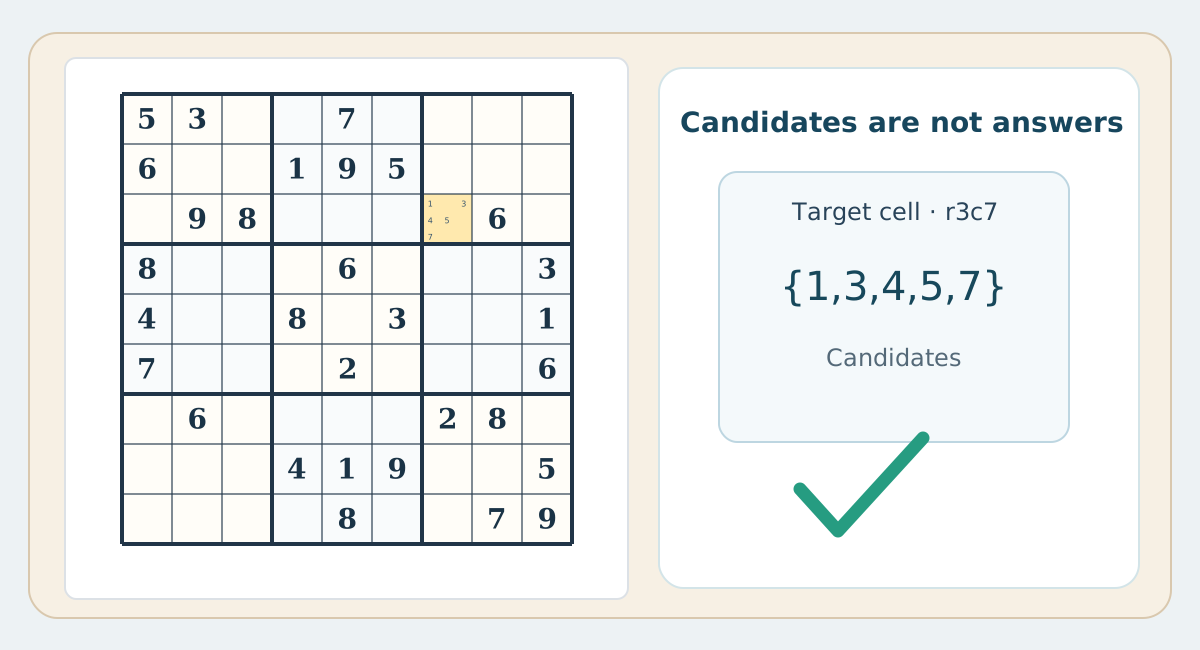
What a candidate mark means
Writing {2,7} in a paper cell means both digits are still legal after row, column and box checks. A candidate is neither a solution nor a guess; it is a temporary record of what has not yet been ruled out.
Manual pencil upkeep
Paper notes require space and a consistent position system, plus erasing after new confirmed numbers. Failing to refresh even one affected note can mislead later reasoning despite an initially sound move.
Digital note mode
Many digital interfaces allow quick entry of small candidate digits; some may offer auto-removal or auto-fill. Features and defaults vary, so not every app provides or enables them.
A fair learning drill
Take r5c5 from the training puzzle and calculate its candidates on paper. Then enter the same set manually using digital note mode and compare. The important lesson is why only 5 remains.
Practical comparison table
| Aspect | Paper | Phone / web |
|---|---|---|
| Candidates | Pencil and eraser | Note mode, sometimes automated |
| Undo | Erase and check reasoning | Undo button if available |
| Peers | Trace row, column and box | May highlight peers |
| Errors | Check manually | Alerts vary by settings |
| Offline | No connection required | May work offline depending on app |
| Reasoning | Margin notes in pencil | Digital notes |
| Printing | A spacious paper worksheet | Requires print-friendly layout |